Talk instead of type.
A speech-to-text application for Windows and Android that turns natural speech into cleaned-up text in the applications where users write.

Speak naturally. Celi handles the cleanup.
You do not have to dictate like a robot. Talk the way you normally talk, then let Celibrium Dictate turn it into text that is ready to use.
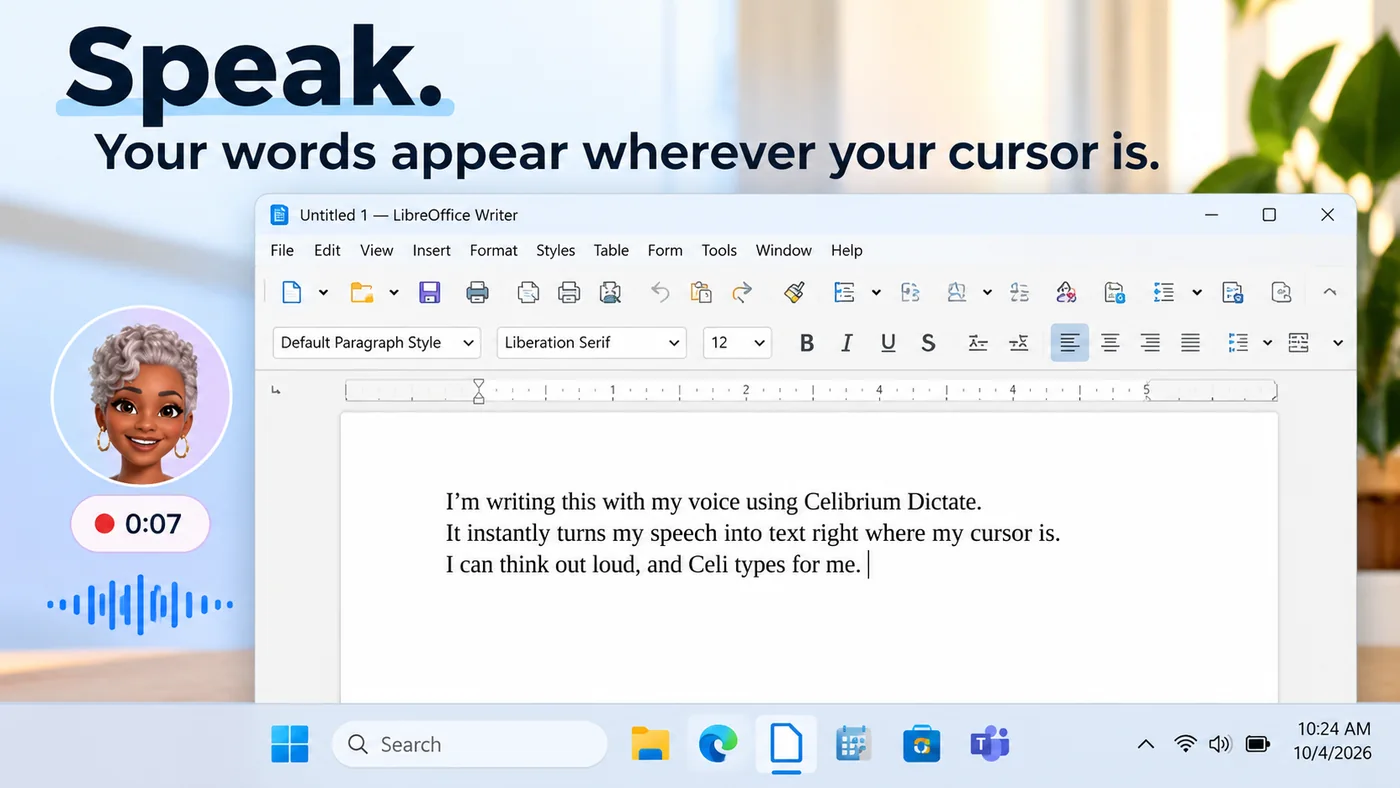
Your words, right at the cursor.
Use Celibrium Dictate in email, chat, documents, browsers and other places you can type. Hold the talk key or use Celi, speak, and your text appears when it is ready.
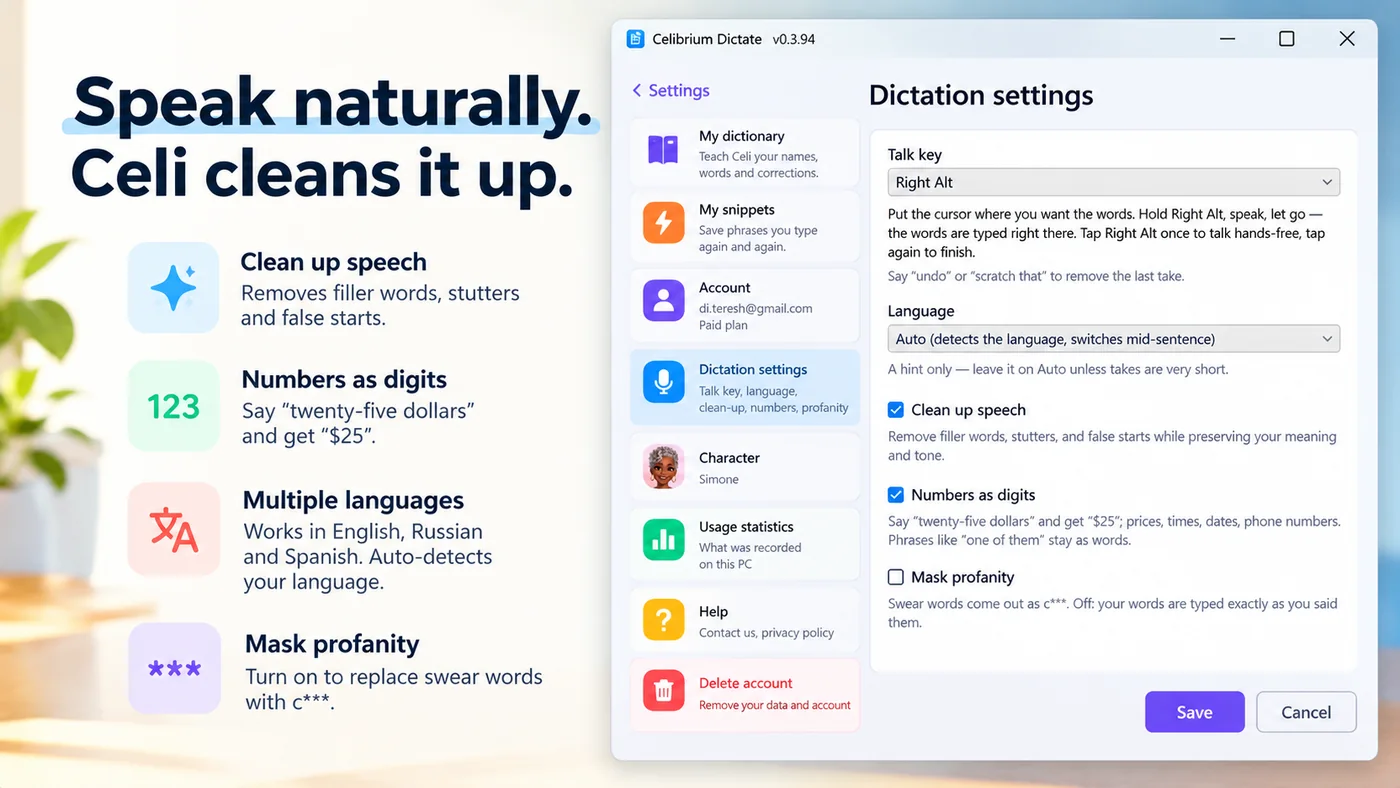
Keep the thought. Lose the verbal clutter.
Celibrium Dictate can remove filler words, stutters and false starts while preserving what you meant. It can format numbers naturally and mask profanity when you want it to.
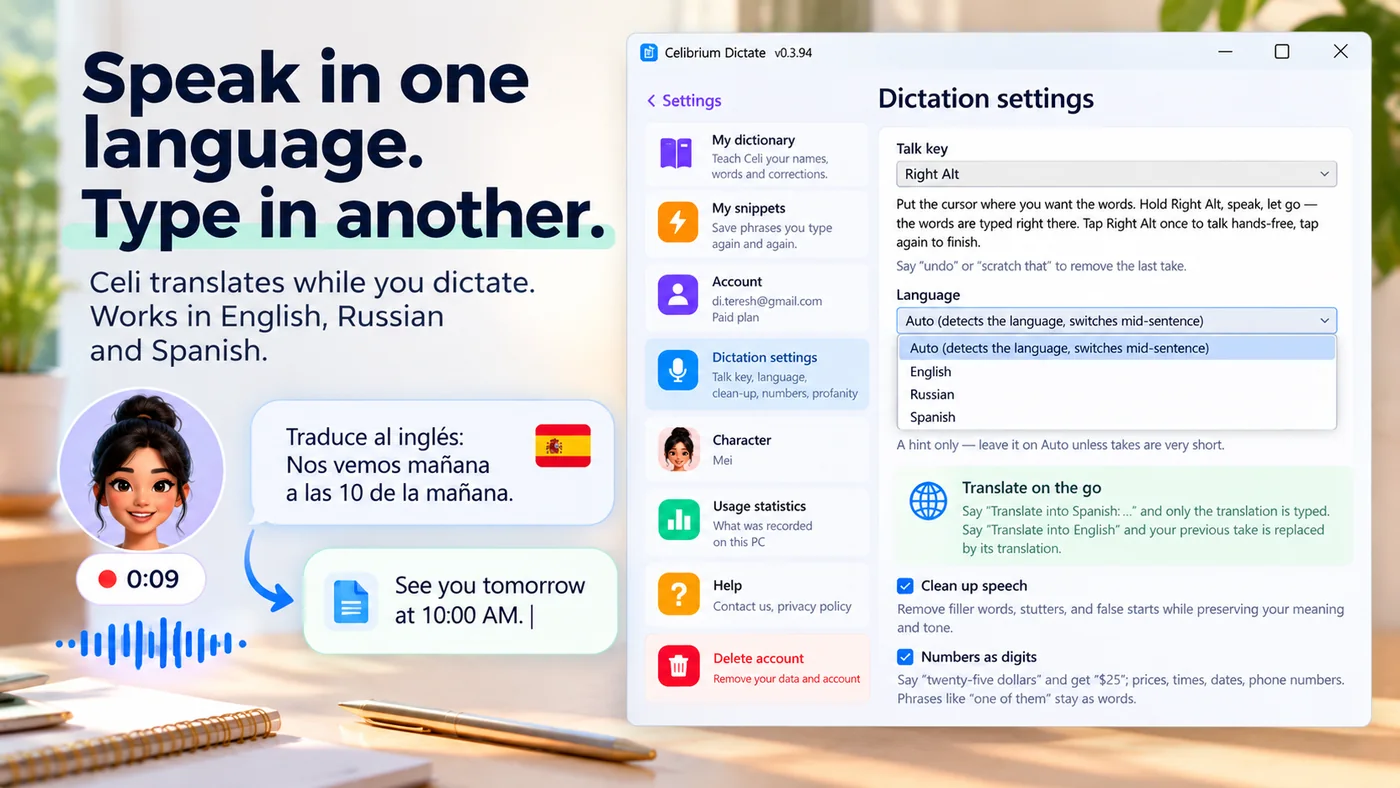
Speak in one language. Type in another.
Need the same thought in another language? Use a voice command such as “translate that into Spanish” and replace your most recent dictation without retyping it.
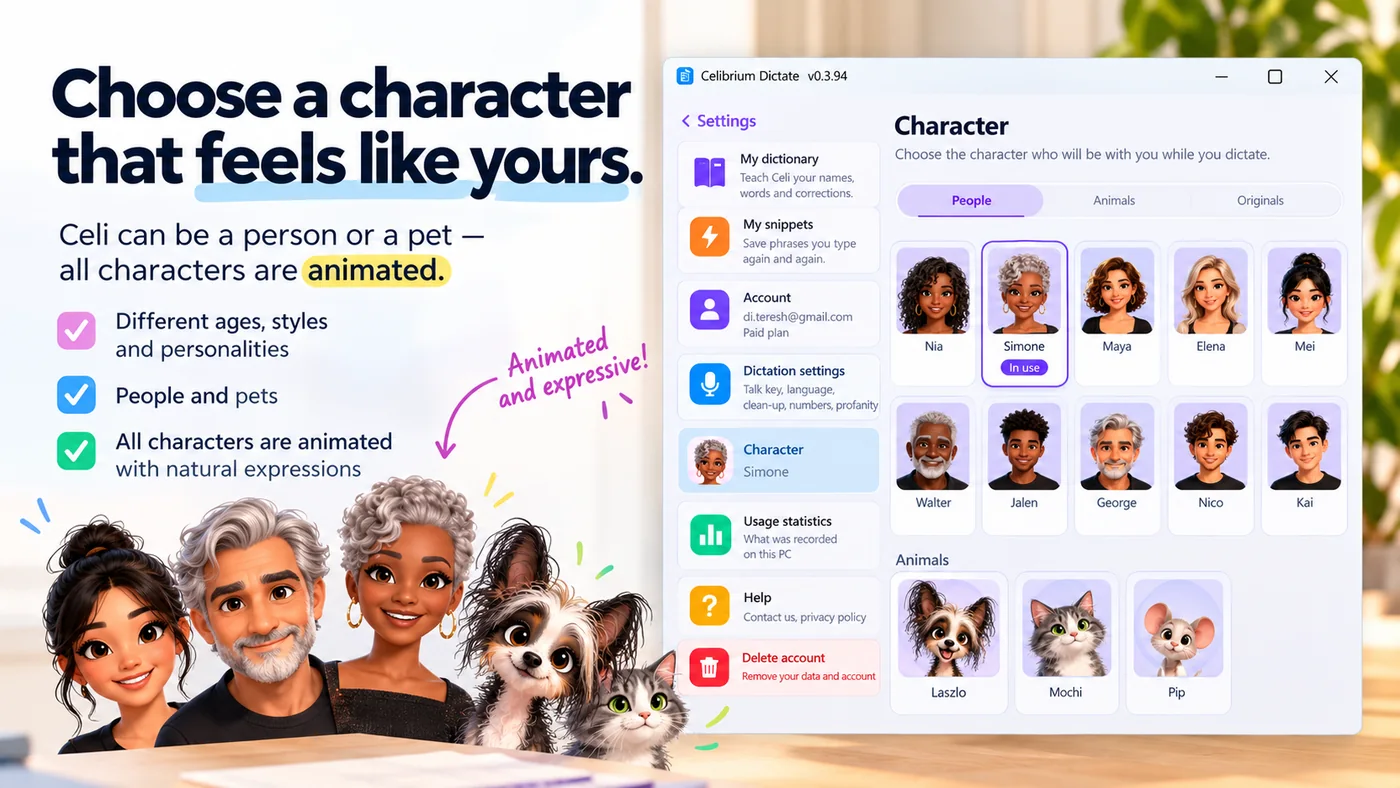
A little face for a very practical tool.
Celi stays ready at the bottom of your screen. Choose from animated people and pets, including Nia, Simone, Maya, Elena, Mei, Walter, Jalen, George, Nico, Kai, Laszlo, Mochi and Pip.
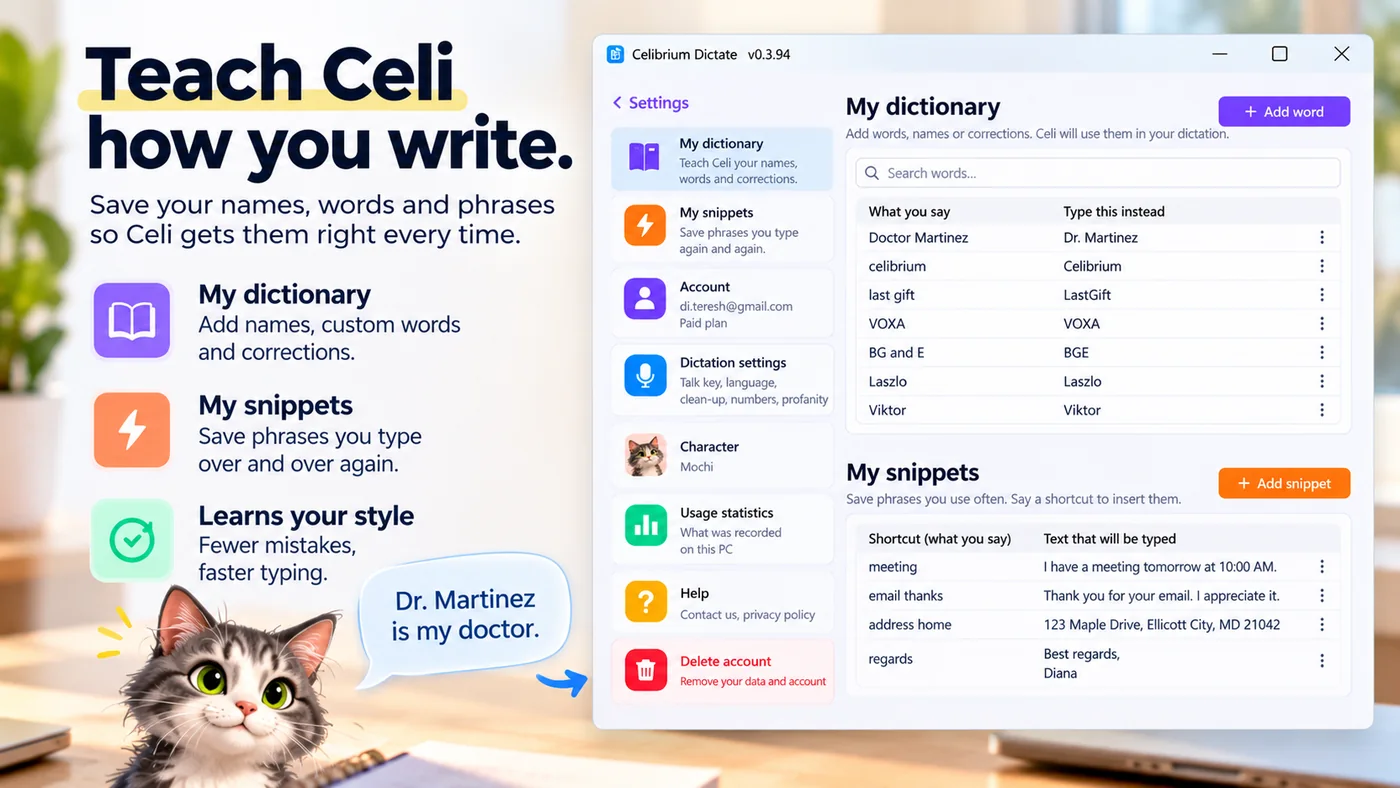
Teach Celi how you write.
Add names and unusual words to your dictionary. Save snippets for text you use again and again. And when you need a quick correction, say “scratch that” to remove your most recent dictation and keep moving.
Voice-to-Text Dictation for Windows
Celibrium Dictate brings voice-to-text dictation to Windows. Hold the talk key, speak naturally, and let go: your words appear as clean text wherever your cursor is, from email and chat to documents and your browser. Get it from the Microsoft Store.
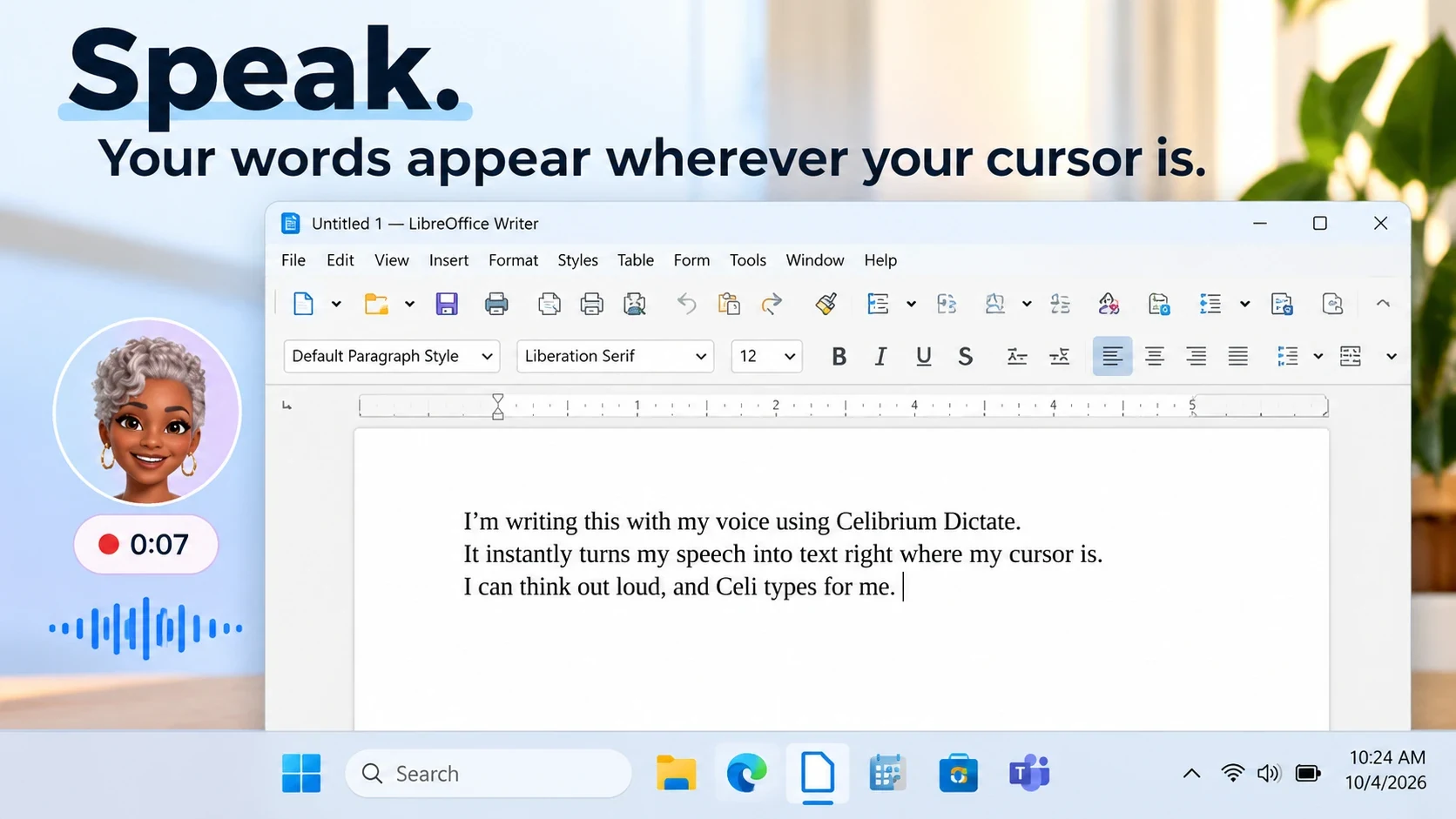
Dictate into the app you already use.
No copying and pasting from a separate window. Celibrium Dictate types into the Windows application where you are writing, while Celi waits at the bottom of the screen.
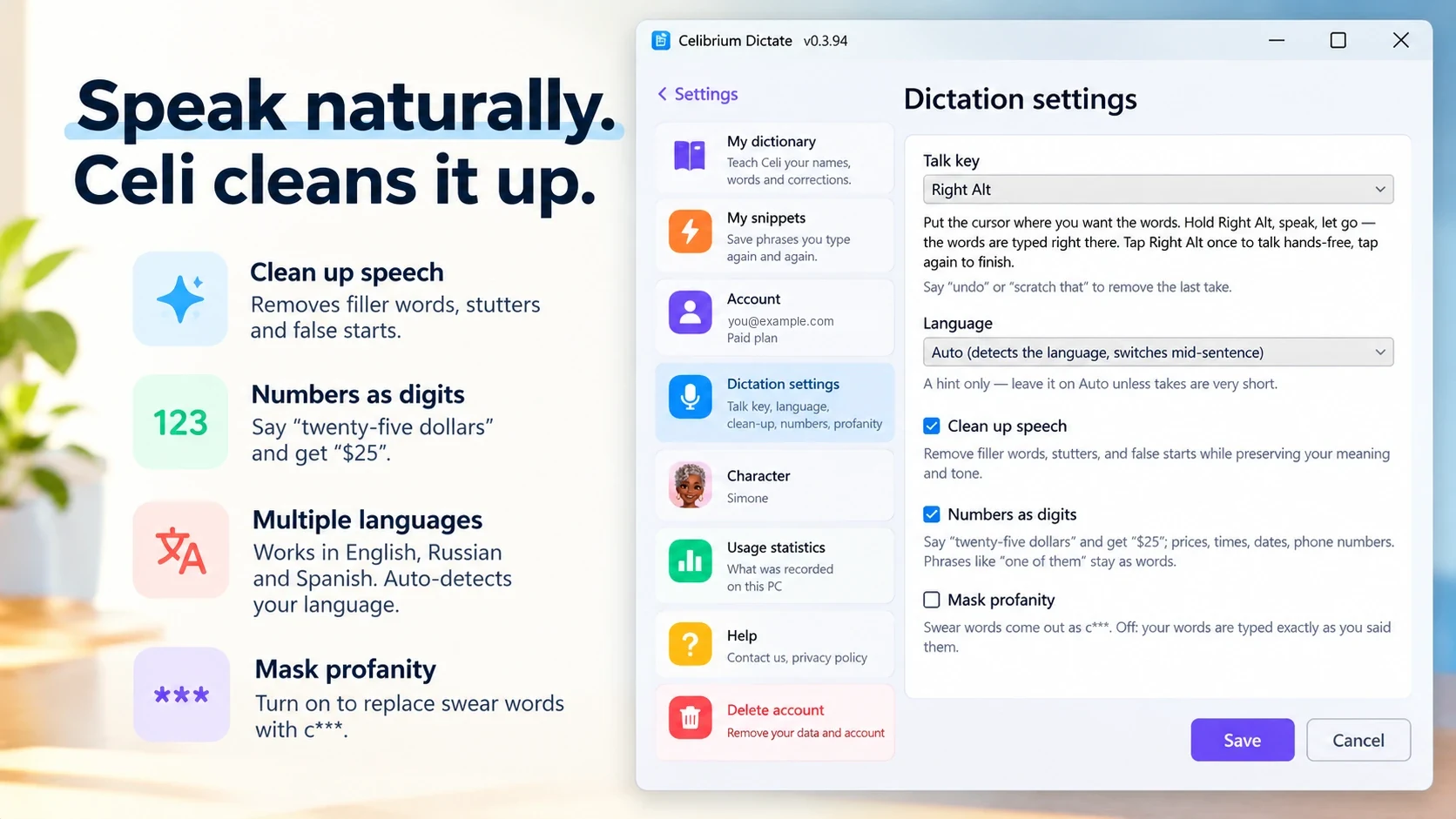
One key to talk.
The talk key is set in Celibrium Dictate’s Windows settings, alongside your account, dictionary and speech cleanup options.
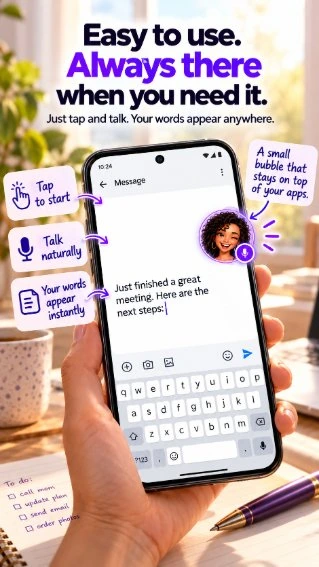
The same account on Android.
On Android, Celi floats as a bubble over the app you are using. Sign in with the same Google account on Windows and Android, and your plan works on both.
Voice commands
Celi adds commas and full stops from the way you speak. When you want a specific mark, say it. Names that are also ordinary words, such as colon, period or точка, need a command word first, so “my colon hurts” stays as you said it.
English
Say the mark
| exclamation point | ! |
| question mark | ? |
| comma | , |
| full stop | . |
| new line | line break |
| new paragraph | blank line |
Insert + mark
| insert colon | : |
| insert semicolon | ; |
| insert period | . |
| insert three exclamation points | !!! |
Command words: insert, put, add, type. Counts from one to ten.
Русский
Назовите знак
| восклицательный знак | ! |
| вопросительный знак | ? |
| запятая | , |
| новая строка, с новой строки | перенос |
| новый абзац | пустая строка |
Поставь + знак
| поставь двоеточие | : |
| поставь точку с запятой | ; |
| поставь точку | . |
| поставь три восклицательных знака | !!! |
Слова-команды: поставь, вставь, добавь. Количество от одного до десяти.
Español
Diga el signo
| signo de exclamación | ! |
| signo de interrogación | ? |
| nueva línea | salto de línea |
| nuevo párrafo, punto y aparte | línea en blanco |
Insertar + signo
| insertar dos puntos | : |
| insertar punto y coma | ; |
| insertar punto | . |
| insertar coma | , |
| insertar tres signos de exclamación | !!! |
Palabras de comando: insertar, pon, añade, agrega. Cantidades del uno al diez.
Pause after a command. A command works when your sentence ends there: pause, or finish the dictation. If you keep talking straight on, Celi keeps the words, so “add two periods to the schedule” stays a sentence. Talking about punctuation also stays text: “the question mark goes at the end”.
Пауза после команды: команда срабатывает, когда фраза на ней заканчивается. Pausa después del comando: funciona cuando la frase termina ahí.
Start free. Talk more when you need more.
Every plan includes the same Celibrium Dictate features and animated characters. You only choose how many words you need each month.
Try Celibrium Dictate with cleanup, translation, profanity masking, dictionary, snippets and every character included.
For regular dictation across supported devices. Sign in with the same Google account on Windows and Android.
For people who dictate a lot and want a much larger monthly allowance without giving up any of the same features.